Broadband & Landline

Post here to ask/answer questions around home broadband and landline

cancel
Showing results for 
Show  only  | Search instead for 
Did you mean: 

Forum Posts

EE Hub firmware versions

We regularly update your Smart Hub to keep your broadband secure, stable, and performing at its best, often adding new features and behind-the-scenes fixes.   Hub nameModelCurrent firmware versionNotesSmart Hub 6 PlusSH30Ar4.26.3 Smart Hub 6 PlusSH31...

James_B by • EE Community Manager
  • 4706 Views
  • 0 replies
  • 7 Helpful

Top Tips for pairing your WiFi Extenders to the Smart Hub 7 Pro

We’ve seen a few customers asking for help pairing their extenders wirelessly with their Smart Hub 7 Pro. We haven’t been able to confirm a fault, but if you need some more help, there’s a reliable workaround that usually gets things connected first ...

Chrissy_G by • EE Knowledge Specialist
  • 5932 Views
  • 30 replies
  • 25 Helpful

Google Pixel 8 WiFi issues?

We're aware of reports from Google Pixel 8 users who are having difficulties connecting their phones to the new Smart Hub 7 Plus. When trying to connect your Pixel 8 to the hub's WiFi, you may find that it fails to connect at all, or connects very br...

James_B by • EE Community Manager
  • 9988 Views
  • 44 replies
  • 28 Helpful

Need Help with Your Home Broadband Speed or Connection?

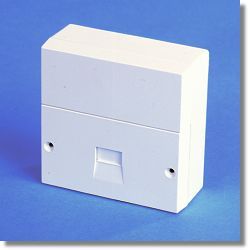
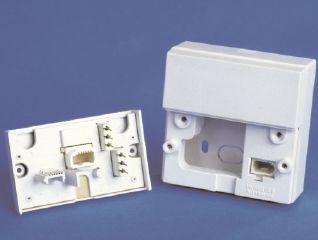
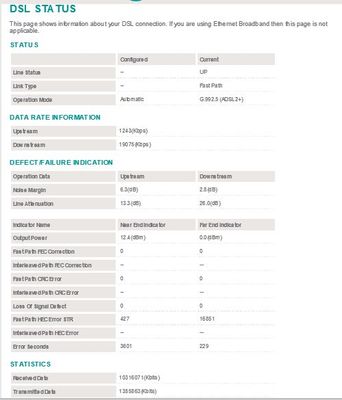
To effectively help you with any Broadband speed or connection issues we would need to see some hard data about your line after carrying out a few short tests for starters, which will enable us to diagnose the problem and advise you further.   Using ...

NTE5_fl NTE5_all_2 Capture.JPG Capture2.JPG
XRaySpeX by • EE Community Star
  • 48737 Views
  • 2 replies
  • 11 Helpful

Changing Your WiFi Password on a Smart Hub

You may have seen in the News that some ISPs have had a security breach whereby their users' routers WiFi passwords have been hacked. You might want to change the WiFi password of your EE Smart Hub router in case a similar attack is made against EE's...

XRaySpeX by • EE Community Star
  • 95513 Views
  • 11 replies
  • 13 Helpful

Engineer

Good afternoon, I'm not happy with the engineer (danile) that came yesterday to fit the broadband. He had no shoe covers I had to ask him to take his shoes off, he's also marked my carpet from him drilling and the wall is a mess and not tidy where he...

New Broadband customer, expected to be unstable day 1?

Just plugged in my Smart Hub Plus this morning and a couple of issues. Although the hub indicates a constant connection the internet keeps dropping, both wired and WiFi, every now and then. Nothing will work for a few minutes then things will start w...

eehub.jpg
Stoneware by • Established Contributor
  • 2299 Views
  • 14 replies
  • 2 Helpful

SMART HUB PRO

Hi  We recently received the Smart Hub Pro .Im thick and cant work out how to install it . We have a Huawie router supplied by EE which connects through the wall to a mast they installed .Does the hub connect to the router or mast ? The connection fr...

Bigbee2 by • Visitor
  • 543 Views
  • 1 replies
  • 0 Helpful

NO BT HUb

Just ordered EE  full fibre- I am now receiving messages asking me to switch my BT hub on - I have no BT hub, I have no hub at all, do I need one? When I signed up no mention was made of needing to be a BT customer or needing a hub. Will a hub be del...

Voicemail issues

Has anyone come up with a solution to the voicemail issues on their landline.i have spoken to EE on numerous occasions about there being no indication that I have a voicemail. The dialling tone is continuous and the base unit of my Panasonic does not...

Mally23 by • Explorer
  • 705 Views
  • 3 replies
  • 4 Helpful

EE app wont sync with router

Hi there - I got moved from BT to EE a few days back, 900MB connection with a Smart Hub Plus. Since Thursday i've been trying to link the app with the router and it fails every time at the point I scan the router QR code to link the app. It pinwheels...

SixyBeast by • Investigator
  • 3317 Views
  • 18 replies
  • 0 Helpful

Upnp not available when using wifi enhancer

I have set up wifi enhancer on the ee smart hub pro and it always says that my upnp is not available and neither is my NAT.  I’ve tried port forwarding and DMZ but nothing works. as soon as the wifi enhancer is set up it all stops working