Broadband & Landline

Post here to ask/answer questions around home broadband and landline

cancel
Showing results for 
Show  only  | Search instead for 
Did you mean: 

Forum Posts

EE Hub firmware versions

We regularly update your Smart Hub to keep your broadband secure, stable, and performing at its best, often adding new features and behind-the-scenes fixes.   Hub nameModelCurrent firmware versionNotesSmart Hub 6 PlusSH30Ar4.26.3 Smart Hub 6 PlusSH31...

James_B by EE Community Manager
  • 2260 Views
  • 0 replies
  • 6 Helpful

Top Tips for pairing your WiFi Extenders to the Smart Hub 7 Pro

We’ve seen a few customers asking for help pairing their extenders wirelessly with their Smart Hub 7 Pro. We haven’t been able to confirm a fault, but if you need some more help, there’s a reliable workaround that usually gets things connected first ...

Chrissy_G by EE Knowledge Specialist
  • 4547 Views
  • 25 replies
  • 19 Helpful

Google Pixel 8 WiFi issues?

We're aware of reports from Google Pixel 8 users who are having difficulties connecting their phones to the new Smart Hub 7 Plus. When trying to connect your Pixel 8 to the hub's WiFi, you may find that it fails to connect at all, or connects very br...

James_B by EE Community Manager
  • 7705 Views
  • 33 replies
  • 23 Helpful

Need Help with Your Home Broadband Speed or Connection?

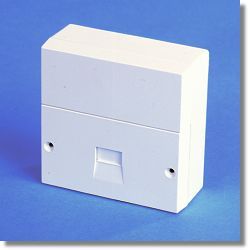
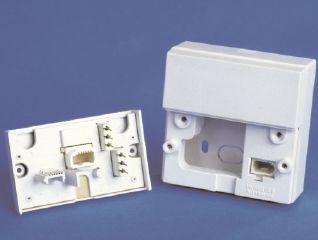
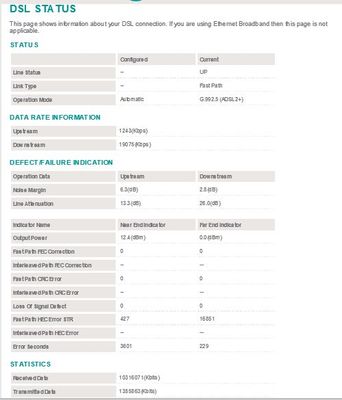
To effectively help you with any Broadband speed or connection issues we would need to see some hard data about your line after carrying out a few short tests for starters, which will enable us to diagnose the problem and advise you further.   Using ...

NTE5_fl NTE5_all_2 Capture.JPG Capture2.JPG
XRaySpeX by EE Community Star
  • 48517 Views
  • 2 replies
  • 10 Helpful

Changing Your WiFi Password on a Smart Hub

You may have seen in the News that some ISPs have had a security breach whereby their users' routers WiFi passwords have been hacked. You might want to change the WiFi password of your EE Smart Hub router in case a similar attack is made against EE's...

XRaySpeX by EE Community Star
  • 95043 Views
  • 11 replies
  • 12 Helpful

Wrong address

Hello all.I have been moved over from bt.I was going to upgrade my package when I noticed my address was wrong.i don't want to take out a contract with ee if they are going to supply the wrong address. I have told them this but the main problem is.My...

Speeds Not Consistant.

Just moved into a new build which had Openreach fibre already installed.Had a look around and decided on Essentials : Full Fibre 500 at a price i considered to be good.The router took much longer to arrive that expected but it did arrive and was easy...

Wooie1958 by Investigator
  • 791 Views
  • 6 replies
  • 0 Helpful

Full Fiber

When will we get Full Fiber ? I cannot find an answer anywhere, yet around the corner. Where my Mother lives (over 90) who has BB for us never uses it has now access to Full Fiber (a Street of bungalows full of old folk) who never would in a million ...

Resolved! Hi do I speak to a human?

Anyone have any tips on getting through to an actual human? Is there a shortcut? I keep being cycled through options and eventually 150 hangs up and a diagnostics bot text messages with two options, neither apply. It seems impossible to get to human....

Resolved! Need urgent refund but phone lines down

Agreed with EE that my direct debit was cancelled and I’d pay on the phone on 28th payday. Also was promised an immediate refund for international roaming which was tried unsuccessfully by customer service to resolve my 4G internet not working.Just w...

LJ1207 by Investigator
  • 1539 Views
  • 11 replies
  • 6 Helpful

Alternative to EE

Is there anyone else other than EE providing 1.6Gb/s via Openreach? I want to change supplier as the Smart Hub Pro WiFi7 does not perform as it should and promised firmware updates to fix the issues never materialise. The premium in Busiest Home for ...

tnj by Skilled Contributor
  • 1093 Views
  • 8 replies
  • 4 Helpful

Port Forwarding Help

So I’m trying to get an open Nat in my Xbox Series X. Trying to set up port forwarding, I’ve gone into the router page, to firewall named a new port forward rule Xbox. In the external box I put 3074 to 3074 and the same in the internal. I select UDP ...

Goooner1 by Contributor
  • 760 Views
  • 5 replies
  • 1 Helpful