Broadband & Landline

Post here to ask/answer questions around home broadband and landline

cancel
Showing results for 
Show  only  | Search instead for 
Did you mean: 

Forum Posts

EE Hub firmware versions

We regularly update your Smart Hub to keep your broadband secure, stable, and performing at its best, often adding new features and behind-the-scenes fixes.   Hub nameModelCurrent firmware versionNotesSmart Hub 6 PlusSH30Ar4.26.3 Smart Hub 6 PlusSH31...

James_B by EE Community Manager
  • 2626 Views
  • 0 replies
  • 7 Helpful

Top Tips for pairing your WiFi Extenders to the Smart Hub 7 Pro

We’ve seen a few customers asking for help pairing their extenders wirelessly with their Smart Hub 7 Pro. We haven’t been able to confirm a fault, but if you need some more help, there’s a reliable workaround that usually gets things connected first ...

Chrissy_G by EE Knowledge Specialist
  • 4806 Views
  • 25 replies
  • 19 Helpful

Google Pixel 8 WiFi issues?

We're aware of reports from Google Pixel 8 users who are having difficulties connecting their phones to the new Smart Hub 7 Plus. When trying to connect your Pixel 8 to the hub's WiFi, you may find that it fails to connect at all, or connects very br...

James_B by EE Community Manager
  • 8289 Views
  • 42 replies
  • 28 Helpful

Need Help with Your Home Broadband Speed or Connection?

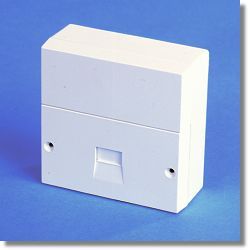
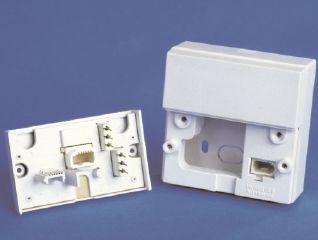
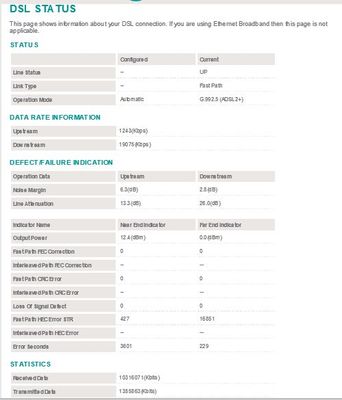
To effectively help you with any Broadband speed or connection issues we would need to see some hard data about your line after carrying out a few short tests for starters, which will enable us to diagnose the problem and advise you further.   Using ...

NTE5_fl NTE5_all_2 Capture.JPG Capture2.JPG
XRaySpeX by EE Community Star
  • 48576 Views
  • 2 replies
  • 11 Helpful

Changing Your WiFi Password on a Smart Hub

You may have seen in the News that some ISPs have had a security breach whereby their users' routers WiFi passwords have been hacked. You might want to change the WiFi password of your EE Smart Hub router in case a similar attack is made against EE's...

XRaySpeX by EE Community Star
  • 95121 Views
  • 11 replies
  • 12 Helpful

Resolved! Unlimited minutes & International

HiI have just joined EE broadband from BT. I have a landline and have paid for Unlimited Minutes & International. I have looked on the “EE phone USA from broadband” and it states that calls to USA landlines are included but it has double asterisk aga...

ColinH34 by Investigator
  • 2346 Views
  • 5 replies
  • 2 Helpful

EE Smart Hub App vs Hub Manager

Hi,  I can see a Device with an IP address of 192.168.xxx.12 and a Device name of LinkTap on the Hub Manager (W11 PC); but can not find this device when viewing All Devices in the EE App (Android 15).Has anyone else had such an experience?I do wish E...

Croft5 by Investigator
  • 1173 Views
  • 5 replies
  • 2 Helpful

New to EE from BT, Zoom constantly freezes

I recently moved from BT (with them many many years), EE plan Essentials Full Fibre Gigabit. I am using the EE Smart Plus Hub and 3 Smart Wifi plus boosters.  Speed into the house is around 900mbps and upload 100mbps.Everything is great apart from wh...

Piper1862 by Valued Contributor
  • 4514 Views
  • 33 replies
  • 9 Helpful

Resolved! New to EE-returning BT products

Just joined EE for Broadband and have to return old BT equipment. Any pictures of a wi-fi disc and hybrid connect please? I have multiple bits of broadband kit in the house and can't see anything to help me identify what these 2 products are. Thank y...

Hilton54 by Visitor
  • 635 Views
  • 2 replies
  • 4 Helpful

Resolved! Hub Manager; 192.168.1.254 ; connect & disconnect button ?

I had BT for 8 years, Plusnet before them, & I've just migrated to the EE branded-hub. To quickly & easily disconnect the hub, in order to change the IP address, there was an option in http://192.168.1.254/  (like in the plusnet screenshot.) All on o...

Screenshot 2025-05-22 at 19.35.49.png Screenshot 2025-05-22 at 19.38.35.png
J_me by Investigator
  • 8092 Views
  • 1 replies
  • 2 Helpful

Resolved! EE app pair with Bt hub 2

I set up my EE app to pair with my Bt hub 2  yesterday and it was working fine. Now all I get is a spinning circle on my screen. I am using a IPhone XR / iso 18.5 

Bluesriff7 by Established Contributor
  • 580 Views
  • 1 replies
  • 1 Helpful

Router issues

After having 2x engineers call out today, after 3.30pm is. to check the router, stating there is no fault after the app found a fault 2days ago  , they supported me to change the router password on my device ,and logged into EE with new password on t...