Turn on suggestions
Auto-suggest helps you quickly narrow down your search results by suggesting possible matches as you type.
- EE Community
- Home Services
- Broadband & Landline
- Re: Replace EE Smarthub with Modem-Only for use with Orbi Router
Options
- Subscribe (RSS)
- Mark as unread
- Mark as read
- Float to top
- Bookmark
- Subscribe (email)
- Mute
- Print this discussion
Replace EE Smarthub with Modem-Only for use with Orbi Router


Options
- Mark as unread
- Bookmark
- Subscribe
- Mute
- Subscribe (RSS)
- Permalink
- Print this post
- Report post
06-03-2024 05:37 PM
Hi @XRaySpeX,
I hope you don't mind me tagging you. I've been following several posts and appreciate your perspective.
What modem do you recommend? The context is below.
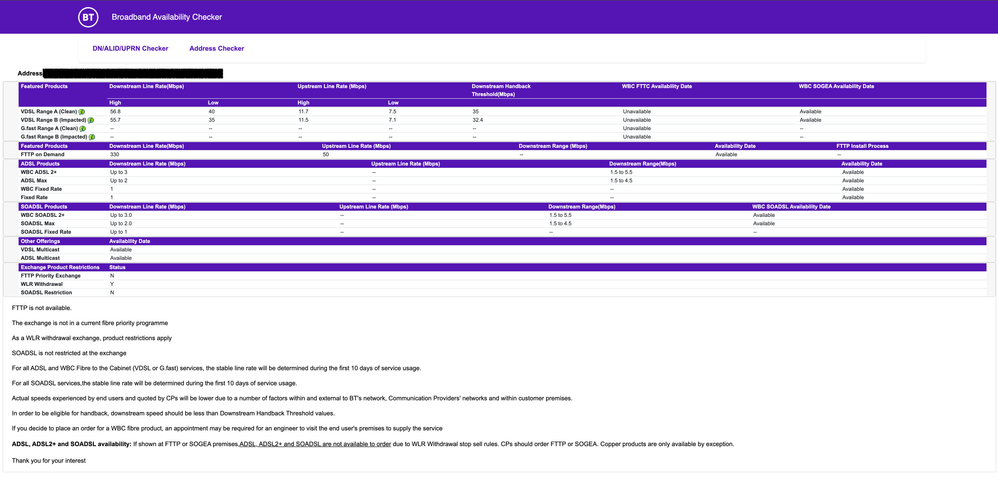
I was looking at the DrayTek Vigor 166. But my concern is that it would be a speed bottleneck because of this specification "Max ADSL2+ Sync Rate: 20Mb/s". Since my EE Broadband isn't fibre, I understand I won't use VDSL. I believe G.Fast was discontinued for new customers around 2021. The EE engineer confirmed it's copper going to the house. That leads me to believe I need a model that supports ADSL2+.
Challenge/Opportunity
- I'm switching from Virgin Media to EE Broadband Fibre 36 Essential (guaranteed at 32mbps; DSL, not fibre).
- I'd like to use my Orbi RBK50 as the router.
- The EE Smarthub (SH31B) does not support modem/bridge mode.
Proposed Solution
- Replace the EE Smarthub with a modem-only device that supports bridge mode.
- Configure the new modem:
- EE Point-to-Point Protocol over Ethernet (PPPoA);
- Modem/Bridge mode.
- Connect the Orbi RBK50 to the new modem via ethernet.
Desired Result
- Ability to fully leverage my Orbi RBK50 route and network performance.
- Ability to use EE Broadband to save money.
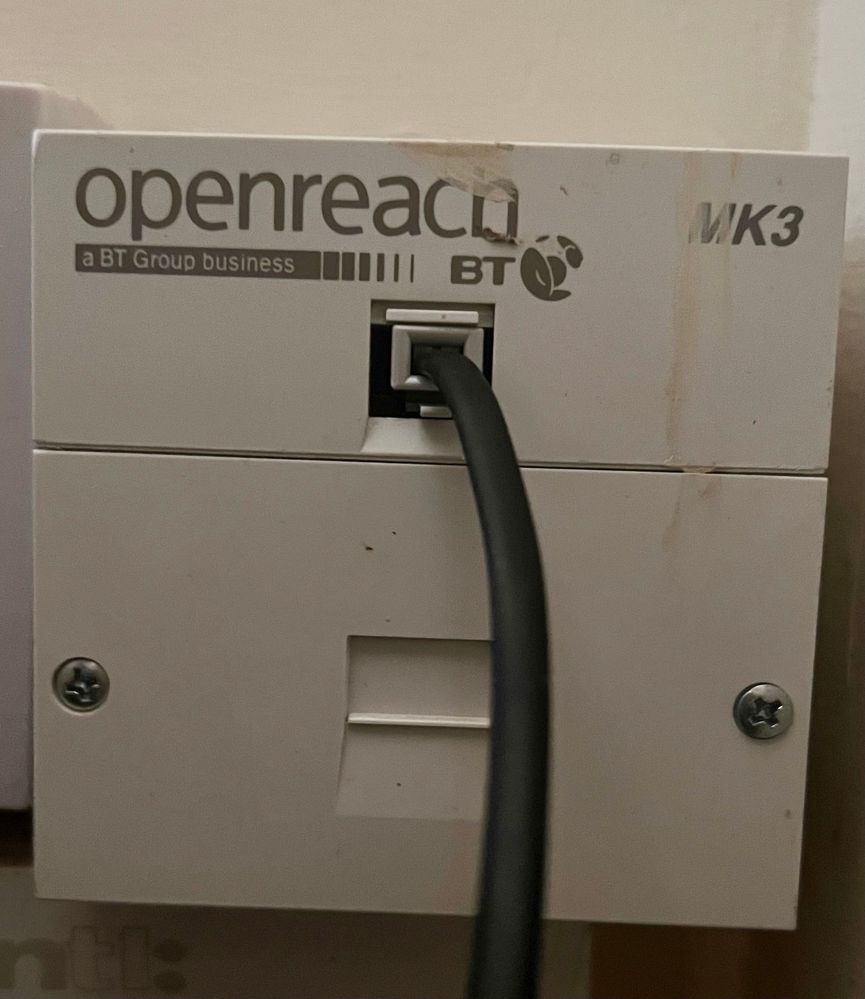
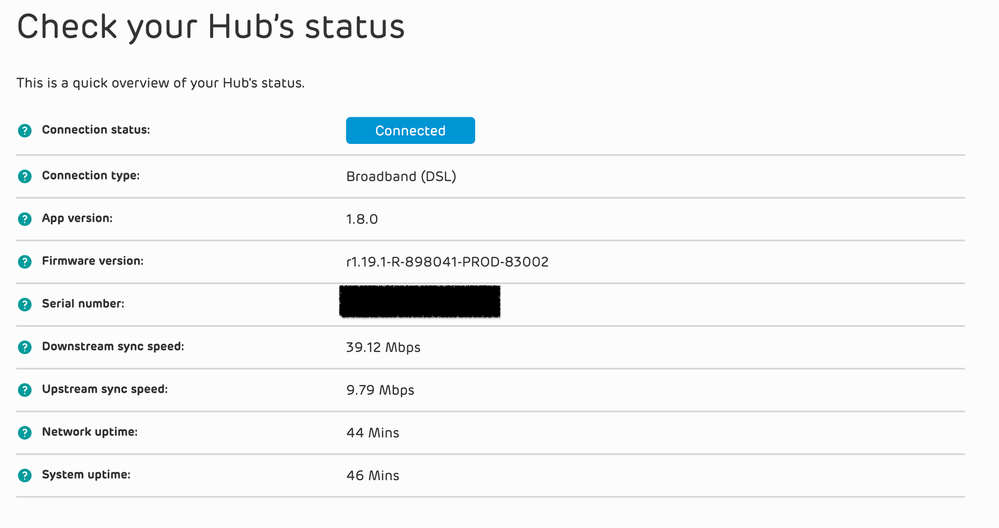
Keywords: third party router, Orbi, Mesh, Smarthub, Smart Hub, Virgin Media, DSL, modem, bridge
Solved! See the answer below or view the solution in context.
1 SOLUTION
Accepted Solutions


Options
- Mark as unread
- Bookmark
- Subscribe
- Mute
- Subscribe (RSS)
- Permalink
- Print this post
- Report post
06-03-2024 05:50 PM
@twilio a few observations.
1. You are not on ADSL2, but VDSL.
2. You don;t configure the modem to PPOA, you do that in your Orbi, but use PPOE.
3. Finding a VDSL modem is not easy these days, but you may find an old Openreach one on eBay or similar, the latest PN Smart Router has a Bridge option, or Draytek, or even an on TP Link 9970 i thinks the model is.
HTH
4 REPLIES 4
Options
- Mark as unread
- Bookmark
- Subscribe
- Mute
- Subscribe (RSS)
- Permalink
- Print this post
- Report post
06-03-2024 05:50 PM
@twilio a few observations.
1. You are not on ADSL2, but VDSL.
2. You don;t configure the modem to PPOA, you do that in your Orbi, but use PPOE.
3. Finding a VDSL modem is not easy these days, but you may find an old Openreach one on eBay or similar, the latest PN Smart Router has a Bridge option, or Draytek, or even an on TP Link 9970 i thinks the model is.
HTH
Options
- Mark as unread
- Bookmark
- Subscribe
- Mute
- Subscribe (RSS)
- Permalink
- Print this post
- Report post
06-03-2024 11:27 PM
Great, thank you. I understand better now.
I found the Vigor 166 on Amazon. That ought to be fit for purpose if I'm understanding things correctly.

Options
- Mark as unread
- Bookmark
- Subscribe
- Mute
- Subscribe (RSS)
- Permalink
- Print this post
- Report post
06-03-2024 11:34 PM
Yes, the Vigor 166 is compatible with your FTTC/VDSL Fibre connection.
If you think I helped please feel free to hit the "Thumbs Up" button below.
To phone EE CS: Dial Freephone +44 800 079 8586 - Option 1 for Home Broadband & Home Phone or Option 2 for Mobile Phone & Mobile Broadband
ISPs: 1999: Freeserve 48K Dial-Up > 2005: Wanadoo 1 Meg BB > 2007: Orange 2 Meg BB > 2008: Orange 8 Meg LLU > 2010: Orange 16 Meg LLU > 2011: Orange 20 Meg WBC > 2014: EE 20 Meg WBC > 2020: EE 40 Meg FTTC > 2022:EE 80 Meg FTTC SoGEA > 2025 EE 150 Meg FTTP
To phone EE CS: Dial Freephone +44 800 079 8586 - Option 1 for Home Broadband & Home Phone or Option 2 for Mobile Phone & Mobile Broadband
ISPs: 1999: Freeserve 48K Dial-Up > 2005: Wanadoo 1 Meg BB > 2007: Orange 2 Meg BB > 2008: Orange 8 Meg LLU > 2010: Orange 16 Meg LLU > 2011: Orange 20 Meg WBC > 2014: EE 20 Meg WBC > 2020: EE 40 Meg FTTC > 2022:EE 80 Meg FTTC SoGEA > 2025 EE 150 Meg FTTP
Options
- Mark as unread
- Bookmark
- Subscribe
- Mute
- Subscribe (RSS)
- Permalink
- Print this post
- Report post
06-03-2024 11:49 PM
Thanks @twilio glad I was able to help.
Let us know if you have any issues setting up your modem/Orbi.

Related Content
- Smart Hub Plus on FTTC traffic issues in Broadband & Landline
- Returning your faulty equipment to be replaced. in Broadband & Landline
- Full fibre and TP Link Deco in Broadband & Landline
- Connection issues since changing to 5G in Digital Home Phone
- Replacement Mobile WiFi Extender 7 Pro - EX73C PSU in Mobile Broadband
