Broadband & Landline

Post here to ask/answer questions around home broadband and landline

cancel
Showing results for 
Show  only  | Search instead for 
Did you mean: 

Forum Posts

EE Hub firmware versions

We regularly update your Smart Hub to keep your broadband secure, stable, and performing at its best, often adding new features and behind-the-scenes fixes.   Hub nameModelCurrent firmware versionNotesSmart Hub 6 PlusSH30Ar4.26.3 Smart Hub 6 PlusSH31...

James_B by EE Community Manager
  • 1889 Views
  • 0 replies
  • 6 Helpful

Top Tips for pairing your WiFi Extenders to the Smart Hub 7 Pro

We’ve seen a few customers asking for help pairing their extenders wirelessly with their Smart Hub 7 Pro. We haven’t been able to confirm a fault, but if you need some more help, there’s a reliable workaround that usually gets things connected first ...

Chrissy_G by EE Knowledge Specialist
  • 4261 Views
  • 25 replies
  • 19 Helpful

Google Pixel 8 WiFi issues?

We're aware of reports from Google Pixel 8 users who are having difficulties connecting their phones to the new Smart Hub 7 Plus. When trying to connect your Pixel 8 to the hub's WiFi, you may find that it fails to connect at all, or connects very br...

James_B by EE Community Manager
  • 7216 Views
  • 33 replies
  • 23 Helpful

Need Help with Your Home Broadband Speed or Connection?

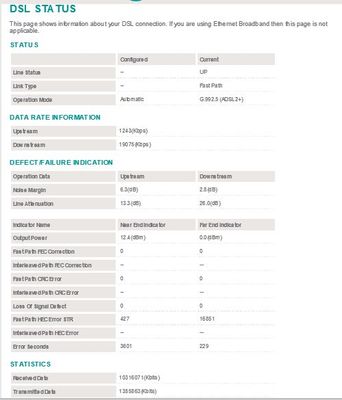
To effectively help you with any Broadband speed or connection issues we would need to see some hard data about your line after carrying out a few short tests for starters, which will enable us to diagnose the problem and advise you further.   Using ...

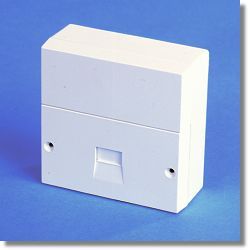
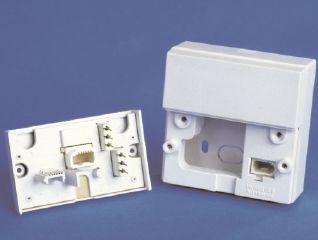
NTE5_fl NTE5_all_2 Capture.JPG Capture2.JPG
XRaySpeX by EE Community Star
  • 48451 Views
  • 2 replies
  • 10 Helpful

Changing Your WiFi Password on a Smart Hub

You may have seen in the News that some ISPs have had a security breach whereby their users' routers WiFi passwords have been hacked. You might want to change the WiFi password of your EE Smart Hub router in case a similar attack is made against EE's...

XRaySpeX by EE Community Star
  • 94900 Views
  • 11 replies
  • 12 Helpful

EE TV Box Mini with third party router

Hi, I am trying to set up a new EE TV Box Mini with WiFi connection to an Orbi RBR350 mesh system that is connected by FTTP EE broadband.I already have an Apple TV as the main TV box, and the EE TV is working without issue connected to the same route...

Caltho by Visitor
  • 1674 Views
  • 2 replies
  • 0 Helpful

Call Protect

BT have recently transferred all my BTID information over to EE.  In doing so all the numbers I had on my Call Protect list have disappeared - neither can I view my bill from EE.  I have been trying to acquire a BTID but EE are telling me they do not...

Unable to merge accounts

I have had an EE mobile account for a few months and about five weeks ago I transferred from BT to EE for broadband and TV as well. I have two account numbers, one for mobile and one for broadband/TV. If I login to the EE TV app, the EE app or the EE...

EE Smart Hub Plus features not working

Folks,I have been looking at the features of the EE Smart Hub Plus  and some don't appear to be working in any sensible way.1) With the BT Smart Hub 2 you could rename devices. On the EE Smart Hub Plus you can't .2) What I have found as well is that ...

infinidim by Established Contributor
  • 2199 Views
  • 10 replies
  • 3 Helpful

EE Broadband website unusable

Why are so many features on the website not working? If I try to go to the EE Broadband shop I get the following message:  Sorry, looks like a technical errorPlease call us on 0800 956 6000 and we’ll try to get things sorted. When I dial the number a...

EE Website Unusable

Why are so many features on the website not working? If I try to go to the EE Broadband shop I get the following message: Sorry, looks like a technical errorPlease call us on 0800 956 6000 and we’ll try to get things sorted.When I dial the number and...

TP-Link R300

Help!!!!I’ve tried so many different ways to connect my T-Link R 300 extender to EE Bright box 2 router to no avail. I’ve even enabled WPS via online portal, reset both devices and followed all instruction etc but running out of patience. It’s taken ...